
Overview
This guide will walk you through how to enable your WOWAPPS mobile app so customers can download and access your business through the WOWAPPS platform.
Step-by-Step Guide
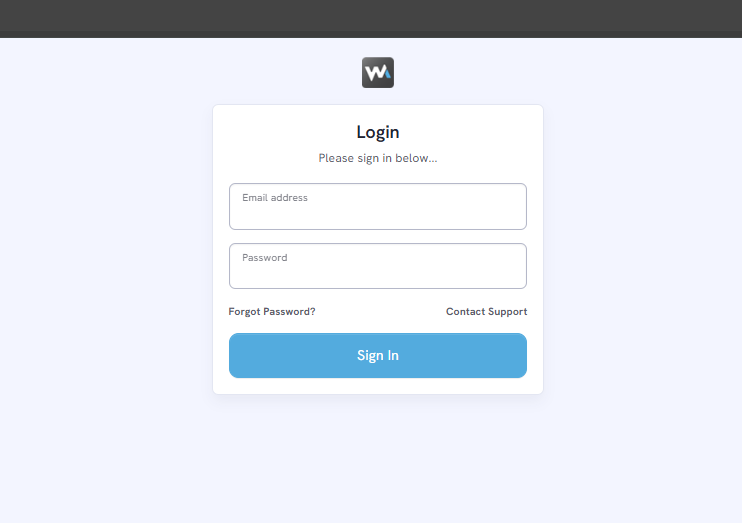
Step 1: Log in to your WOWAPPS account at: https://ca.wowapps.com/
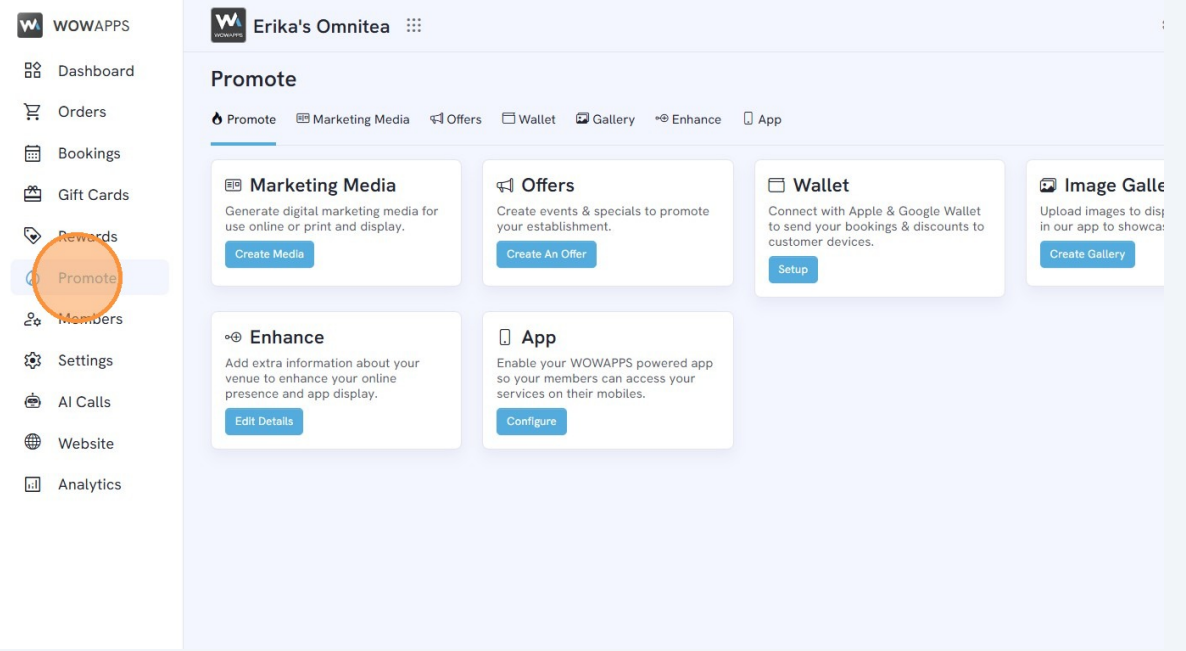
Step 2: From the left-side menu, click "Promote".
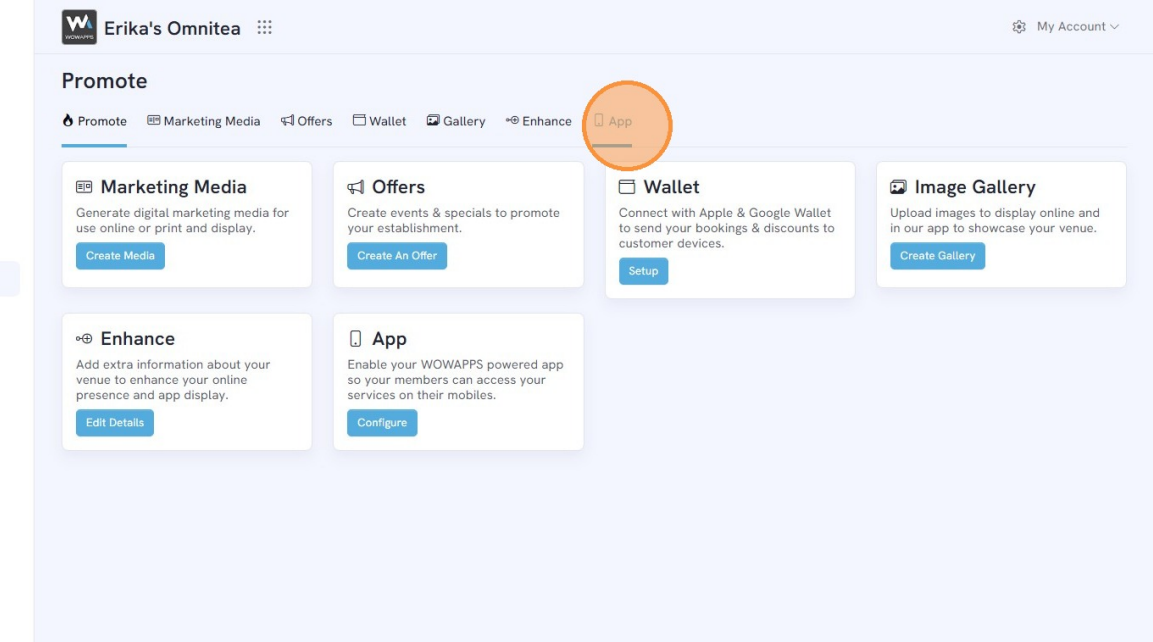
Step 3: Click "App".
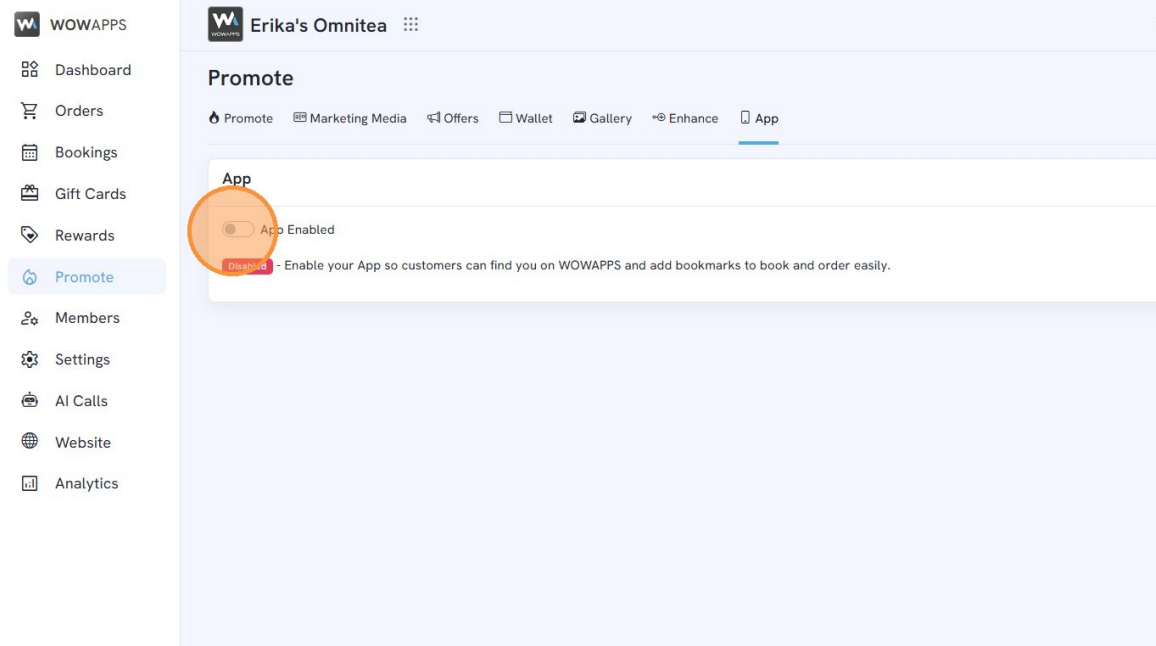
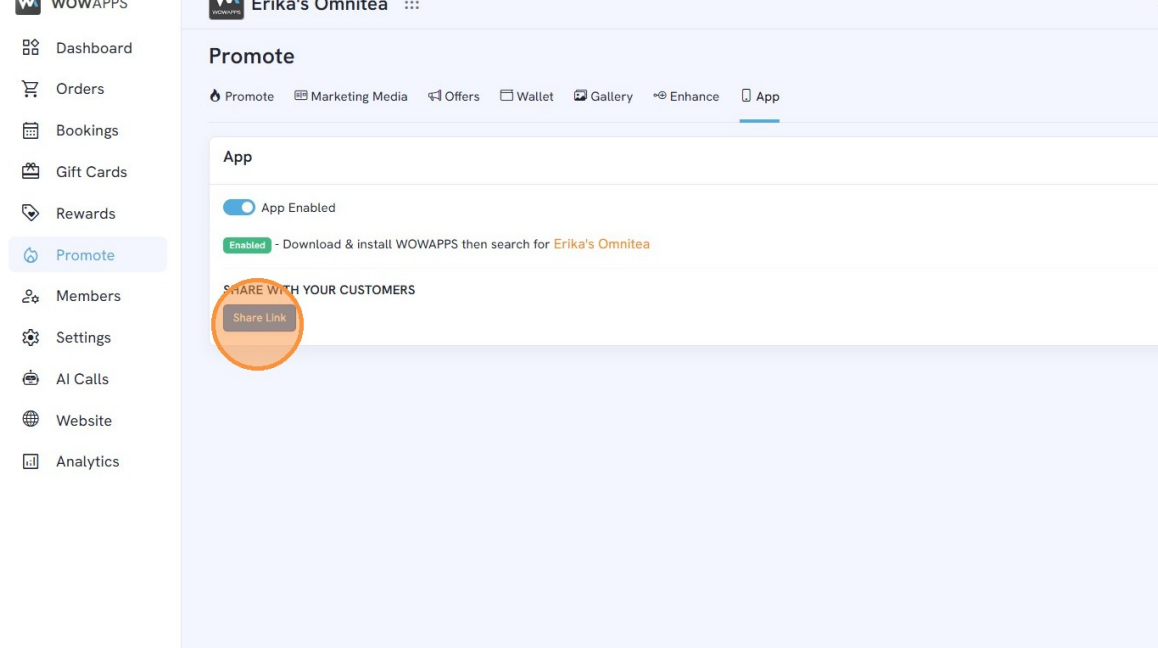
Step 4: Toggle the App Enabled button.
Step 5: Under Share With Your Customers, click Share Link.
Send this link to your customers so they can:
Download WOWAPPS
Search for your business
Place orders or book appointments
What Happens After Enabling?
When enabled:
Your business becomes searchable inside the WOWAPPS mobile app.
Customers can book, order, or interact with your services directly.
Any updates to your system will reflect inside the app automatically.